What is the Meaning of Storage Solutions? A Practical Guide
Storage Solution Advisor
Answer four questions about your data or inventory to receive a tailored storage recommendation based on Volume, Velocity, Value, and Variability.
Define Your Needs
Select options and click analyze to see your recommended storage solution.
You have probably stared at a blinking hard drive light or a full iCloud notification and wondered: what does this actually mean for me? When people ask what is the meaning of storage solutions, they are usually trying to solve a specific pain point. Maybe your laptop is screaming for space, or maybe your warehouse is overflowing with inventory that won't move. The term "storage solution" sounds corporate and vague, but it boils down to one simple concept: a method for keeping things safe, organized, and accessible when you need them.
This isn't just about buying bigger boxes or more gigabytes. It is about strategy. A true storage solution matches the type of item (data or physical goods) with the right infrastructure, cost model, and retrieval speed. If you store hot data on cold tape drives, you pay too much. If you keep seasonal winter coats in your prime living room closet, you waste valuable space. Understanding the meaning behind these systems helps you stop guessing and start optimizing.
The Core Definition: More Than Just Space
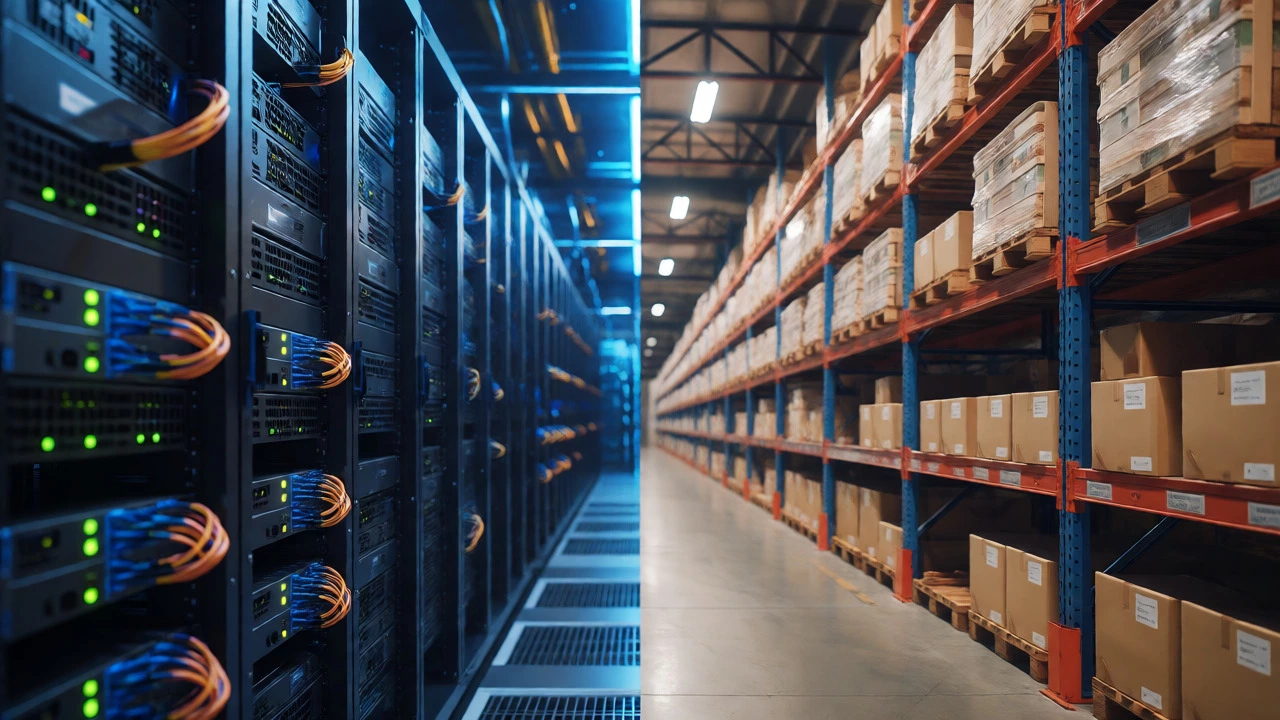
At its simplest, a storage solution is any system designed to retain information or objects over time. But that definition is too broad to be useful. In the modern context, we split this into two distinct worlds: Digital Storage and Physical Storage. While they share the goal of preservation, their mechanics, costs, and failure modes are wildly different.
Digital storage refers to the hardware and software used to save binary data. This includes everything from the SSD in your phone to massive server farms in Virginia. Physical storage involves tangible spaces-warehouses, self-storage units, or even the pantry shelf where you keep extra rice. The "meaning" shifts depending on which side of the divide you are standing on. For IT managers, it means uptime and latency. For logistics directors, it means square footage and turnover rates.
Why does this distinction matter? Because mixing up the two leads to bad decisions. You wouldn't use a cloud backup service to store your vintage wine collection, nor would you put your company's financial records in a cardboard box in a damp basement. Each domain has its own best practices, and understanding the fundamental nature of each is the first step toward choosing the right tool.
Digital Storage: The Invisible Infrastructure
When most people hear "storage solutions" today, they think of computers. And for good reason. We generate roughly 402 million terabytes of data every single day. That is a staggering amount of information that needs a home. Digital storage solutions are categorized by how fast you can access the data, how long it lasts, and how much it costs.
The three main pillars here are Block, File, and Object storage. Think of Block storage like a raw hard drive partition-it’s fast and direct, ideal for databases that need quick read/write speeds. File storage is what you see on your desktop: folders and directories arranged in a hierarchy. It’s easy to navigate but can get slow if you have millions of small files. Object storage, often used in the cloud, treats data as discrete units with unique identifiers. It doesn’t care about folder structures; it just knows where the object lives. This makes it incredibly scalable for storing photos, videos, and backups.
| Feature | Block Storage | File Storage | Object Storage |
|---|---|---|---|
| Best For | Databases, VMs | Shared documents, home drives | Backups, media libraries |
| Access Speed | Very High | Moderate | Variable (High for large files) |
| Cost Efficiency | Low (Expensive per GB) | Moderate | High (Cheap per GB) |
| Scalability | Limited | Difficult at scale | Virtually Unlimited |
Then there is the location question: On-Premises vs. Cloud. On-premises means you own the servers. You buy the hardware, pay for the electricity, and hire someone to fix it when a fan dies. It gives you total control but high upfront capital expenditure. Cloud storage, offered by providers like Amazon Web Services (AWS), Microsoft Azure, or Google Cloud, lets you rent space. You pay only for what you use. This operational expense model is great for startups but can creep up if you aren't watching your usage metrics closely.

Physical Storage: Managing the Real World
Let's shift gears to atoms instead of bits. Physical storage solutions are critical for businesses and homeowners alike. For a business, poor physical storage kills efficiency. If your pickers spend 40% of their time walking around looking for items because the layout is chaotic, you are losing money. Effective physical storage isn't just about having shelves; it's about workflow optimization.
There are several types of physical storage setups. Static shelving is the classic approach-good for slow-moving items. Pallet racking allows vertical stacking, maximizing cube utilization. Automated storage and retrieval systems (AS/RS) use robots to fetch items, reducing human error and labor costs. Then you have off-site options like third-party logistics (3PL) warehouses, where you outsource the entire operation to a specialist.
For individuals, the meaning of storage solutions often revolves around decluttering. Self-storage facilities offer unit sizes ranging from 5x5 feet (a closet) to 10x30 feet (a garage). But the real value isn't the square footage; it's the psychological relief of moving unused items out of your living space. However, many people fall into the trap of paying monthly fees for items they haven't touched in years. A true storage solution requires regular audits. If you haven't opened that box in six months, why are you still paying to keep it?
Key Factors in Choosing the Right Solution
How do you decide which path to take? It comes down to four variables: Volume, Velocity, Value, and Variability. These "4 Vs" help determine the complexity of the solution you need.
- Volume: How much stuff do you have? A few terabytes of text files is different from petabytes of video surveillance footage. Similarly, ten boxes of books differ vastly from a truckload of furniture.
- Velocity: How fast do you need to access it? If you need data in milliseconds, you need high-performance SSDs. If you are archiving tax records from 2010, speed doesn't matter. In physical terms, high-velocity items belong near the shipping dock; low-velocity items go to the back corner.
- Value: What happens if you lose it? Losing a cache of temporary internet files is annoying. Losing customer payment records is catastrophic. High-value data requires redundancy (backups in multiple locations). High-value physical goods might require climate-controlled, secure vaults.
- Variability: Does your storage need change? E-commerce businesses face massive spikes during Black Friday. Their storage solution must scale up quickly and then shrink down. Rigid on-premises solutions struggle here; flexible cloud or 3PL models thrive.
Consider a small graphic design firm. They have high volume (large PSD files), moderate velocity (clients need files within hours), high value (losing client work means lost revenue), and low variability (file size grows steadily). Their best bet might be a hybrid model: local NAS (Network Attached Storage) for active projects to ensure speed, combined with an automated cloud backup for disaster recovery. This balances cost and performance perfectly.

Common Pitfalls and How to Avoid Them
Even with good intentions, people mess up their storage strategies. The biggest mistake is "set it and forget it." Storage isn't static. Data ages. Inventory moves. If you don't review your setup annually, you end up paying for resources you don't use or risking data corruption because old formats aren't supported anymore.
Another pitfall is underestimating hidden costs. In digital storage, egress fees (the cost to download your data) can surprise you. Moving 10TB out of AWS can cost hundreds of dollars. In physical storage, insurance and security deposits add up. Always calculate the Total Cost of Ownership (TCO), not just the sticker price.
Finally, there is the security gap. Many assume that putting data in the cloud or locking a warehouse door makes them safe. It doesn't. Cyber threats evolve constantly. Physical theft happens. Regularly test your backups by restoring a random file. Inspect your physical inventory for pest damage or water leaks. Proactive maintenance prevents reactive panic.
Future Trends: Where Storage is Heading
The landscape is changing rapidly. DNA data storage is no longer science fiction; researchers are encoding images into synthetic DNA strands, promising density thousands of times greater than current hard drives. While not commercially viable for everyone yet, it signals a future where we store centuries of human knowledge in a teaspoon.
In the physical realm, sustainability is driving change. Green warehouses use solar power and electric forklifts. Consumers prefer brands that minimize packaging waste. Future storage solutions will likely integrate IoT sensors that monitor temperature, humidity, and occupancy in real-time, automatically adjusting conditions to preserve goods better and reduce energy waste.
Understanding the meaning of storage solutions is about recognizing that storage is an active process, not a passive bucket. Whether you are managing petabytes of code or a garage full of holiday decorations, the principles remain the same: know your needs, choose the right medium, and maintain the system. Stop viewing storage as a burden and start treating it as a strategic asset.
Is cloud storage safer than local storage?
Not necessarily. Cloud providers offer robust redundancy and professional security teams, protecting against hardware failure and natural disasters. However, local storage gives you complete control over privacy and eliminates reliance on internet connectivity. The safest approach is often a hybrid: keep sensitive data locally with encrypted backups in the cloud.
How do I calculate how much storage I need?
For digital data, audit your current usage and project growth over 12-24 months. Add a 20% buffer for unexpected spikes. For physical storage, measure the cubic footage of your items rather than just floor space. Remember to account for aisles and access paths, which typically consume 30-40% of your total area.
What is the difference between backup and archival storage?
Backup is short-term protection against accidental deletion or ransomware, allowing quick restoration of recent states. Archival is long-term retention of data that is rarely accessed but legally or historically required. Backups are overwritten frequently; archives are written once and kept for years or decades.
Do self-storage units require insurance?
Most facility contracts do not cover your belongings. Your homeowner's or renter's insurance may provide limited coverage for items in storage, but limits are often low. Check your policy details carefully. For high-value items, purchasing separate storage-specific insurance is a wise investment.
Which storage type is cheapest for large amounts of data?
Cold object storage in the cloud (like AWS Glacier or Azure Archive) is generally the cheapest for massive datasets that don't need instant access. For physical goods, renting a smaller, less accessible unit (e.g., upper floor without elevator access) is often cheaper than ground-level premium space.